Bring in the scope
Start with a tender PDF, client drawings, room notes, or a fresh cabinet layout. Keep finishes, inclusions, exclusions, and site assumptions visible before the number is built.

Cabinet making software Australia
JOINA connects quoting, cabinet pricing, shop drawings, cut lists, nesting previews, and job costing. The result is one job record from the first scope review to the factory handover—not another isolated design file or spreadsheet.
Short answer
Cabinet making software turns a job scope into structured cabinet data that can be priced, reviewed, documented, and handed to production. For a small or growing Australian shop, the useful test is not the length of the feature list. It is whether a change to a cabinet, material, labour rate, or margin flows through without the team rebuilding the quote in several places.
Connected workflow
JOINA is built around the commercial path of the job. Scope, cabinet build, supplier items, labour, overheads, drawings, and production details stay attached to the same record.
Start with a tender PDF, client drawings, room notes, or a fresh cabinet layout. Keep finishes, inclusions, exclusions, and site assumptions visible before the number is built.
Shape base, overhead, tall, robe, vanity, and custom cabinets with dimensions and construction choices that remain useful beyond the visual layout.
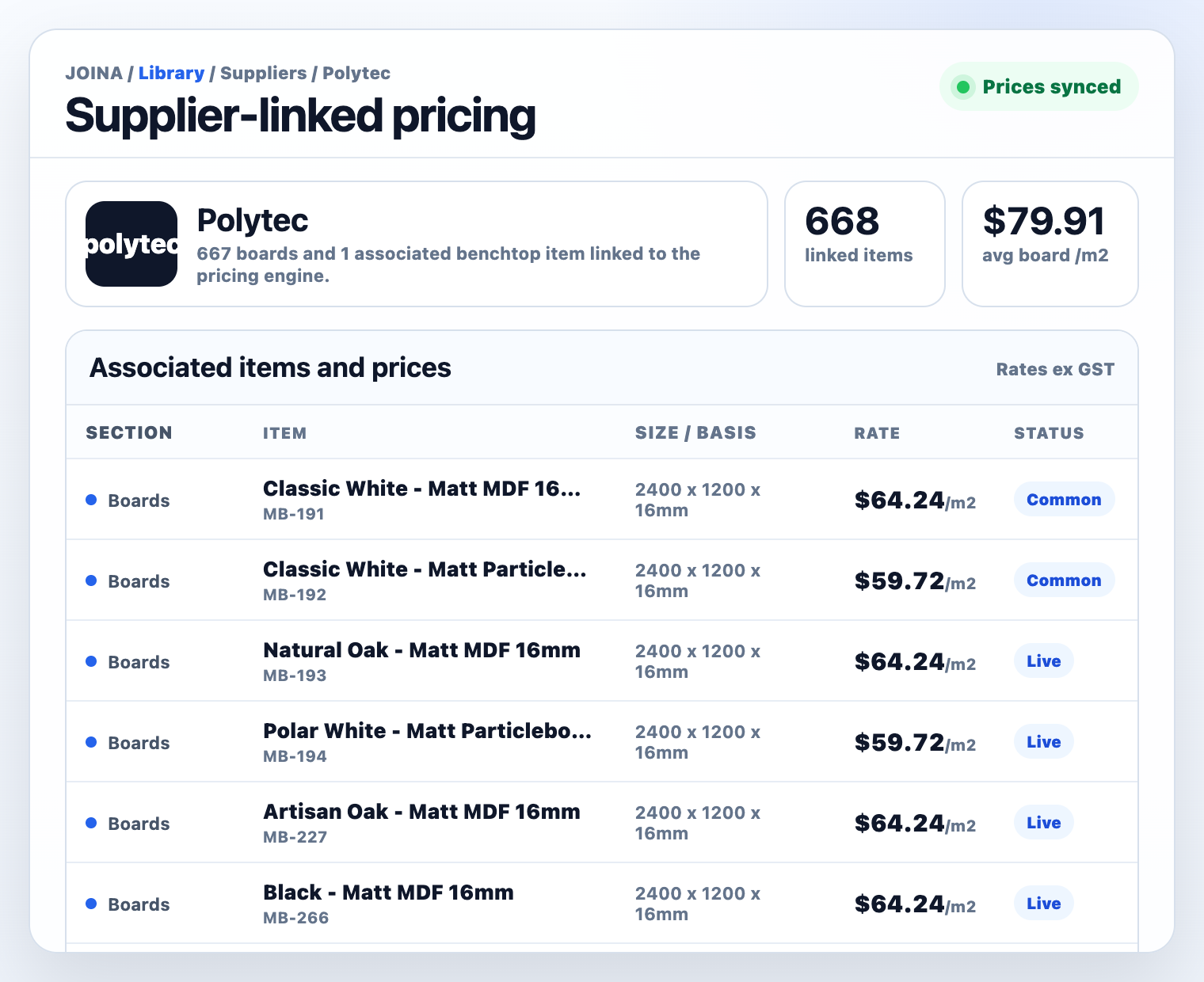
Use loaded supplier pricing as a starting point, then apply your own materials, hardware, labour, waste, overhead recovery, margin, delivery, and GST settings.
Check quote workings, elevations, sections, dimensions, labels, cut lists, nesting previews, edging, drilling, and cabinet notes before anything leaves the office.
Keep approved scope and production detail together so estimating, admin, purchasing, and the factory are not working from different versions of the job.
Choose for the bottleneck
Some systems lead with client design, others with CNC output, and others with job management. JOINA is strongest when the bottleneck is turning cabinet scope into a reviewed, profitable quote and carrying that logic into drawings and production planning.
Real job outputs
A connected system should make the commercial number easier to defend and the cabinet build easier to review. These are product outputs from the same JOINA workflow.
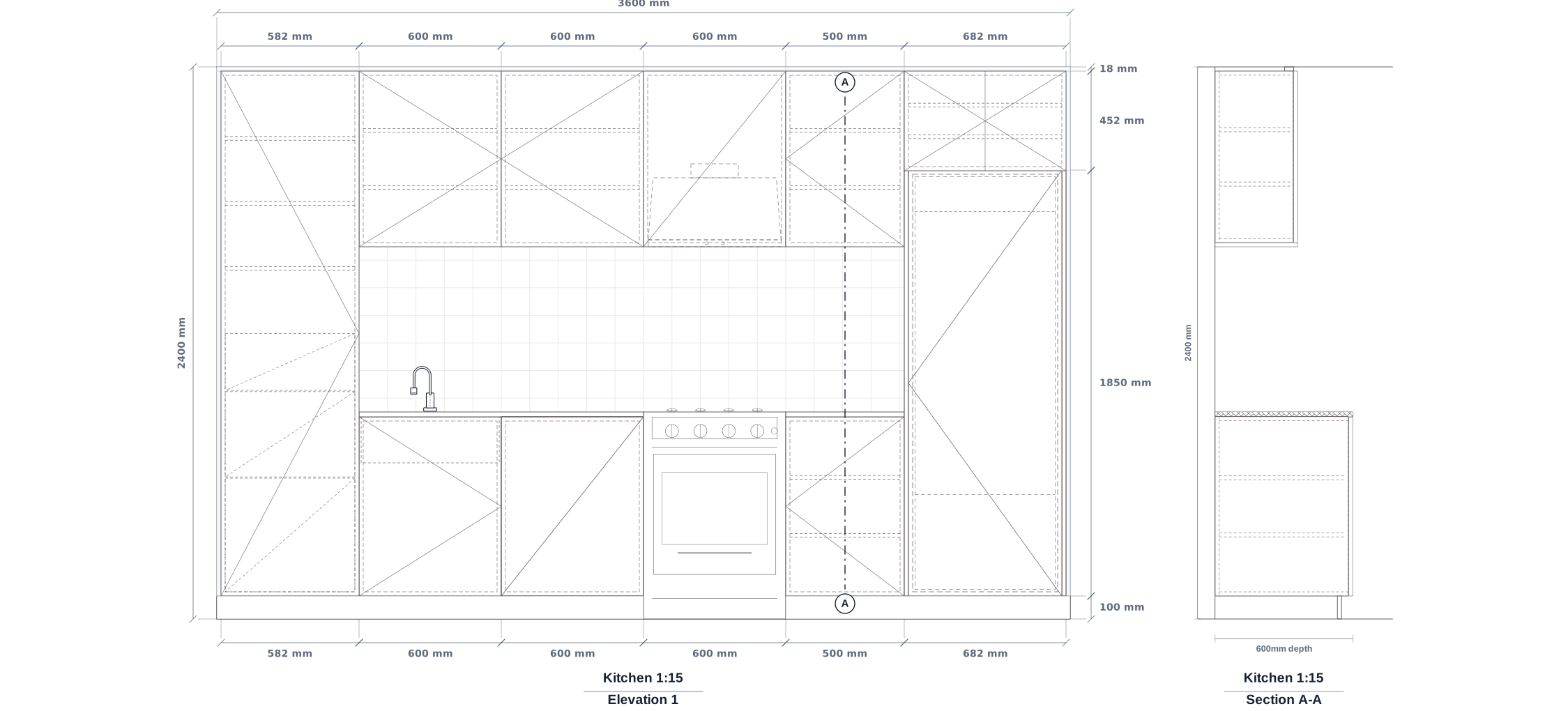
Create clear elevations, sections, dimensions, labels, and cabinet details while the build remains tied to the quote.
Watch drawings in action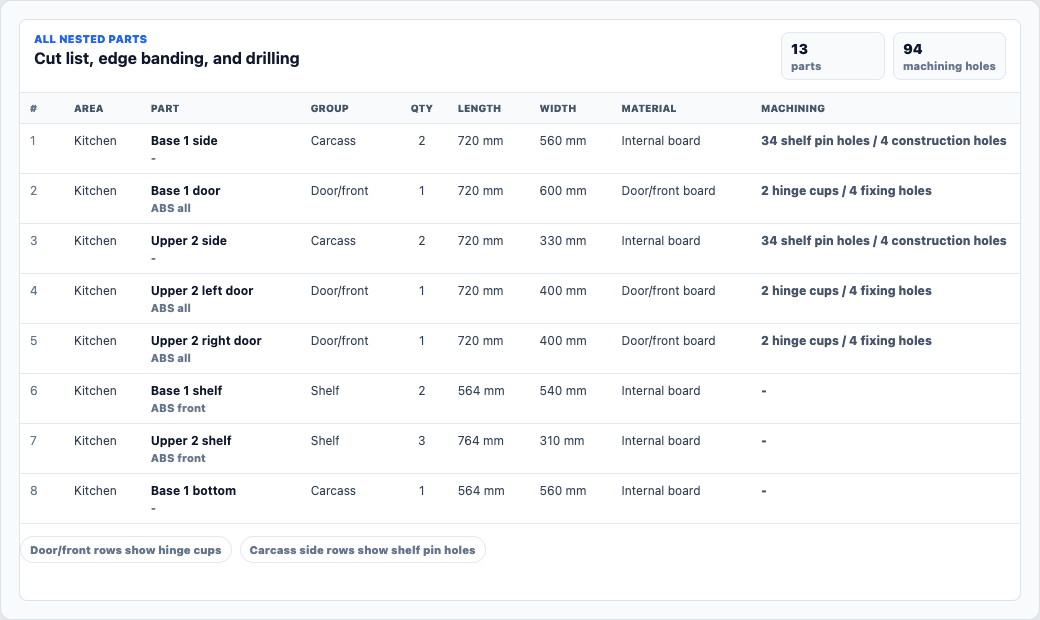
Review cabinet parts, edging, hinge cups, shelf pin holes, construction holes, and material detail before purchasing or production handover.
Explore cut list softwareSelection checklist
Trial the system on one awkward, real job. A perfect demo kitchen will not show where your team loses time or margin.
See it on a real job
Start with a free 30-day trial or bring a kitchen, robe, laundry, vanity, or custom joinery scope to a product walkthrough.
Cabinet making software FAQ
For a quoting-led shop, look for connected scope, cabinet data, materials, hardware, labour, overheads, waste, margin, GST, drawings, cut lists, and quote output.
Yes. JOINA uses AUD and GST, comes with loaded Australian supplier pricing, and lets the shop update its own materials and rates.
It is designed to replace the connected quote-and-costing workbook. You can still use spreadsheets for one-off analysis where they are the faster tool.
The structured workflow allows admin or estimating staff to build and review jobs using the shop's approved materials, rates, and margin settings.
JOINA focuses on quoting, costing, drawings, cut lists, nesting, and machining-detail review. Confirm direct machine and post-processor requirements separately.
JOINA is $79 AUD per month after a free 30-day trial. All current features are included, with no obligation and cancellation at any time.